Mobile invoicing software has become an essential tool for freelancers, small business owners, and service providers needing to create and send invoices on the go.
With mobile invoicing software, you can:
- create and send professional-looking invoices from your mobile device,
- track your invoices’ status,
- and keep an eye on the payment history, and even process payments online.
Yet, so many solutions are available on the market, and making your wait out is not a piece of cake. 😮💨 Choosing the proper app for your business can be daunting.
To help you pick the right one for you, we carefully selected 9 of the best software on the market. And, on top of that, you’ll find our tips to become the master of the invoicing, from detailed explanation to key features and benefits.
Let’s begin, shall we? 📣
The 9 Best Apps to Send Invoices
FreshBooks
FreshBooks is a cloud-based mobile invoicing software designed for ease of use and efficiency in accounting.
With its mobile app, manage your finances and stay updated on your business’s financial health from anywhere.
FreshBooks is an all-in-one invoicing software solution, making accounting simple and efficient for small businesses and self-employed professionals.
🙋🏼♀️ For Who?
FreshBooks is tailored to small businesses and self-employed professionals.
| ⚒️ Key Features |
|
| 👍 Pros |
|
👎 Cons |
|
PayPal
PayPal is a widely-used online payment platform that provides robust solutions for businesses to handle transactions efficiently, including mobile invoicing capabilities.
PayPal’s mobile invoicing feature allows businesses to create, send, and manage invoices directly from their mobile devices, making it convenient for business owners and freelancers who are always on the go.
🙋🏼♀️ For Who?
PayPal’s mobile invoicing is ideal for:
- freelancers,
- small business owners,
- service providers,
- remote workers.
| ⚒️ Key Features |
|
| 👍 Pros |
|
👎 Cons |
|
Housecall Pro

HouseCall Pro is a comprehensive field service management platform offering various features to help businesses manage and grow their operations.
The mobile invoicing software is designed to be easy to use, with customizable templates and automatic payment reminders to help businesses get paid faster.
HouseCall Pro integrates with popular payment gateways to provide customers with secure and fast payment options.
🙋🏼♀️ For Who?
HouseCall Pro is ideal for:
- home service professionals,
- field service technicians,
- contractors,
- small to medium-sized service businesses.
| ⚒️ Key Features |
|
| 👍 Pros |
|
👎 Cons |
|
Square

Square is a mobile invoicing software that helps small businesses manage their finances from anywhere. With customizable, branded invoices, recurring billing, and real-time financial tracking, Square simplifies financial management.
It integrates with various payment gateways, including its own, for quick and secure transactions.
🙋🏼♀️ For Who?
Square is ideal for:
- small businesses,
- freelancers,
- retailers,
- service providers.
| ⚒️ Key Features |
|
| 👍 Pros |
|
👎 Cons |
|
Invoice2go
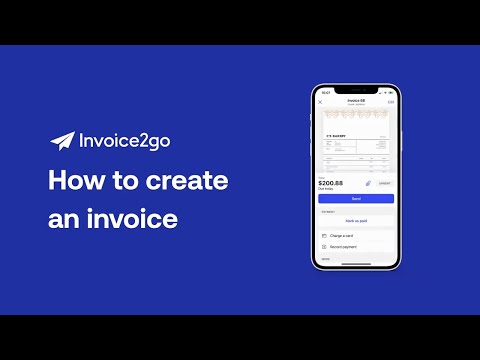
Invoice2go is a mobile invoicing software that allows small business owners to create professional invoices, track expenses, and manage their finances anytime, anywhere.
With this software, users can create invoices in minutes, and send them directly to their clients via:
- email,
- SMS.
Invoice2go also allows users to accept payments online, simplifying the invoicing process and making it easier for clients to pay their bills.
🙋🏼♀️ For Who?
Invoice2go is ideal for:
- sole proprietors,
- freelancers,
- micro-businesses.
| ⚒️ Key Features |
|
| 👍 Pros |
|
👎 Cons |
|
QuickBooks
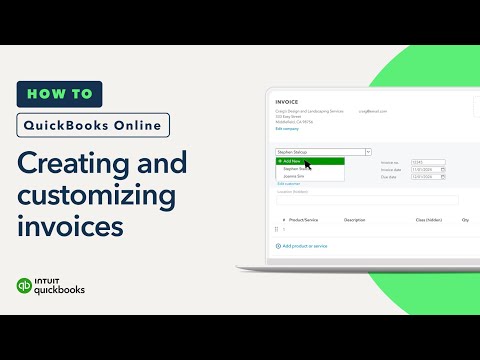
QuickBooks is a versatile accounting software featuring mobile invoicing. It offers customizable invoices, automatic sales tax tracking, and automatic payments directly in the mobile app, simplifying the invoicing process no matter where you are.
While user-friendly, QuickBooks may have a learning curve during migration. Its various plans and add-ons provide flexibility and scalability for any invoicing and bookkeeping needs.
🙋🏼♀️ For Who?
QuickBooks is ideal for s****mall businesses and m****edium-sized businesses.
| ⚒️ Key Features |
|
| 👍 Pros |
|
👎 Cons |
|
Wave

Wave is a popular mobile invoicing software that offers a simple, all-in-one financial management tool. Its suite of products works seamlessly together to save time and streamline financial tasks.
Wave stands out because it is completely free, with no limitations on its core features, including:
- mobile invoicing,
- accounting,
- and receipt scanning.
🙋🏼♀️ For Who?
Wave can be a great and cost-effective option for small businesses and freelancers who don’t need extensive billing features.
| ⚒️ Key Features |
|
| 👍 Pros |
|
👎 Cons |
|
Xero
Xero is an online accounting software with robust mobile invoicing capabilities. Its mobile invoicing feature allows businesses to quickly create and send professional invoices using:
- customizable templates,
- automated payment reminders,
- and multiple payment options.
Xero integrates with popular payment gateways, enabling secure online payments and helping businesses improve cashflow management.
🙋🏼♀️ For Who?
Xero is ideal for:
- small businesses,
- medium-sized businesses,
- freelancers,
- and accountants.
| ⚒️ Key Features |
|
| 👍 Pros |
|
👎 Cons |
|
Zoho Invoice
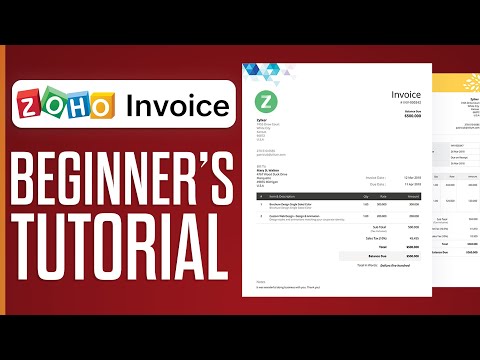
Zoho Invoice is a versatile mobile invoicing software that allows businesses to manage their invoicing on the go.
It offers a user-friendly interface, serving as a standalone recurring billing software that can create, send and track invoices directly from a mobile device, making financial management more accessible and efficient.
On top of that, Zoho Invoice integrates seamlessly with Zoho Subscriptions to handle all aspects of customer subscription billing.
🙋🏼♀️ For Who?
Zoho is one of the best recurring billing software for small businesses and freelancers, as it offers free and cost-effective options.
| ⚒️ Key Features |
|
| 👍 Pros |
|
👎 Cons |
|
Frequently Asked Questions About Mobile Invoicing
What is a Mobile Invoicing Software?
Mobile invoicing software are designed to enable businesses to create and send invoices using mobile devices such as smartphones or tablets. This type of apps allows you to manage invoicing from anywhere, at any time, as long as you have an internet connection. 😌
Whether you are a small business owner, freelancer, or service provider, mobile invoicing software helps you stay organized and efficient, offering the flexibility to manage your finances on the go.
Who Uses Mobile Invoicing Software?
Mobile invoicing software is perfect for anyone needing to create and send invoices-on -the-go.
👉 Freelancers, for instance, can send invoices to clients immediately after completing a job, ensuring faster payments and reducing administrative tasks.
👉 Small business owners can generate and send invoices while out of the office, particularly useful for those who work in the field or travel frequently. And, of course, service providers like plumbers or electricians can use mobile invoicing to bill clients directly from their mobile devices.
👉 Even larger organizations benefit from mobile invoicing software, especially if they have remote or field employees.
In a nutshell, anyone needing flexible invoicing can stay organized, efficient, and get paid faster with mobile invoicing software.
What are the Advantages of Using Mobile Invoicing Apps?
There are several advantages of using mobile invoicing software, including:
- increased efficiency,
- improved accuracy,
- better organization,
- professionalism,
- optimal payment processing,
💡 The benefits of mobile invoicing software are multifold. Remember that its main benefit is that you can start developing an agile way of working, accessing invoicing features anytime, anywhere.
How to Choose the Best Mobile Invoicing Software?
Choosing the best mobile invoicing software for your business can be a challenging task.
To help you make your way out, here are some key factors to consider when selecting mobile invoicing software:
- look for mobile invoicing software with customizable features,
- your software needs to be user-friendly,
- it should be compatible with your device and operating system,
- make sure your software uses industry-standard data protections,
- look for reliable customer support,
- consider the costs wisely.
💡 Keep in mind that the best mobile invoicing software for your business will depend on your specific needs and requirements.
By considering the factors outlined above, you can pick the one app that will help you:
- streamline your invoicing processes,
- reduce administrative work,
- and get paid faster.
Is There a Free Invoice App?
Long story short, YES!
Some of the tool we showcased hereinabove are free, such as Zoho Invoice.
How to Make an Invoice in Mobile?
Using the right tool is the key to create an invoice. And, if you’re looking to create an invoice on-the-go, a mobile invoicing apps is what you should focus on.
☝️ Our above-list of solutions is what you need.
The Final Thoughts About Mobile Invoicing Software
Mobile invoicing software has transformed how businesses create and send invoices.
☝️ It offers increased efficiency, improved accuracy, better organization, enhanced professionalism, and seamless payment processing, making it essential for businesses looking to streamline invoicing and get paid faster.
When choosing mobile invoicing software, consider the key features we mentioned, such as the ease of use, the security, the customer support, and the pricing.
Keep in mind that the right software can simplify your invoicing process while reducing your administrative tasks, and let you focus on growing your business.
⚒️ Looking for more tools ? Take a look at our list of the Best Billing Software for Small Businesses.