

Voicemeeter : Virtual Mixing Console by VB Audio
Voicemeeter: in summary
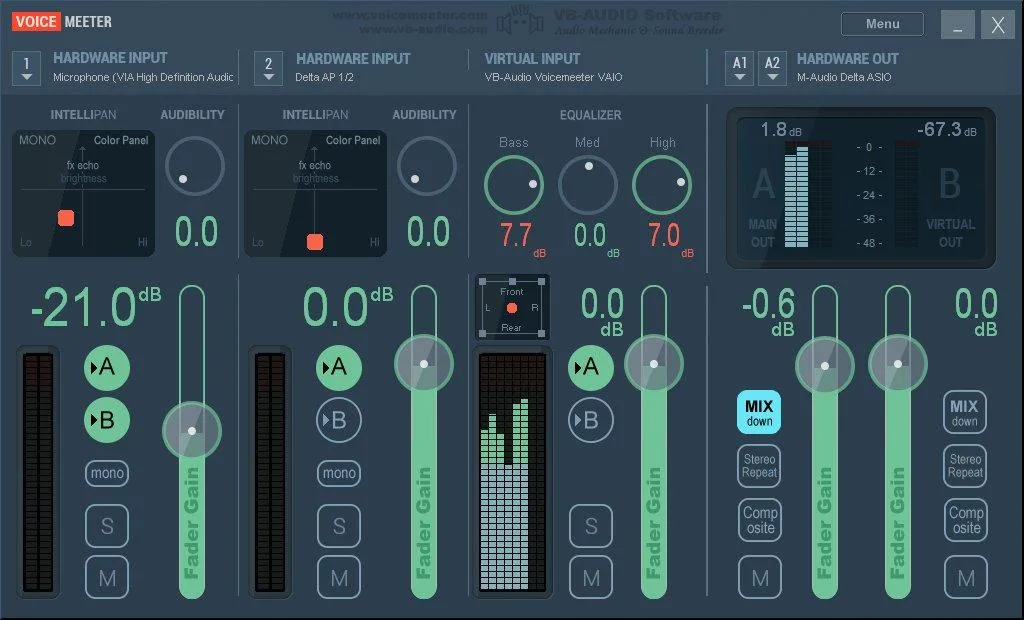
Voicemeeter is a virtual audio mixer that allows you to manage all audio sources on a Windows PC. It supports physical inputs (such as a microphone) as well as audio from any application, including professional audio software using ASIO. This gives you the ability to mix your voice with music players, browsers, web radios, video games, or audio from any DAW like Cubase, Ableton Live, or Pro Tools — even simultaneously — for Skype calls, VoIP, or recording workflows.
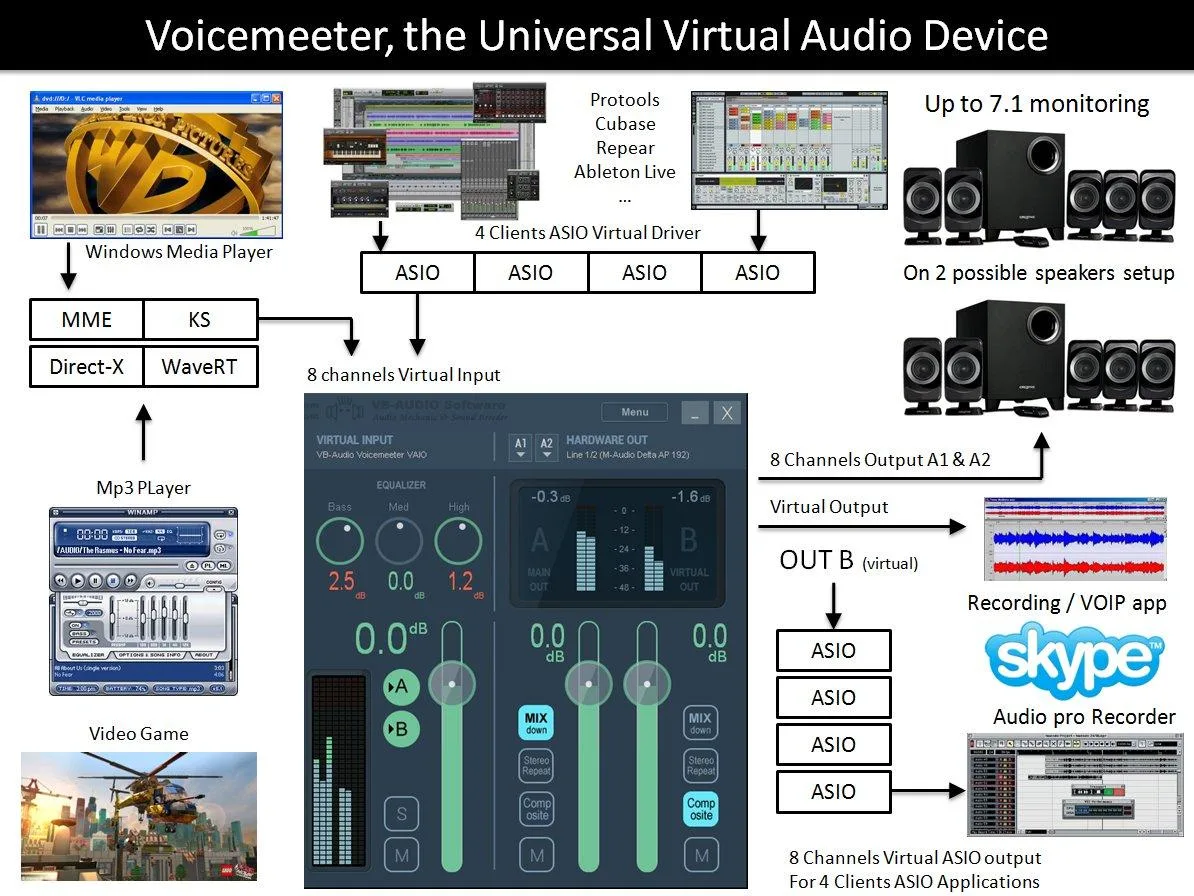
Compatible with all major audio interfaces (MME, KS, WaveRT, Direct-X, and ASIO), Voicemeeter also acts as an audio bridge between applications. It enables ASIO-based applications to use standard Windows audio drivers (like MME or WDM), and lets Windows audio players output through ASIO devices using Voicemeeter as an intermediary. Everything is interconnected and works seamlessly.
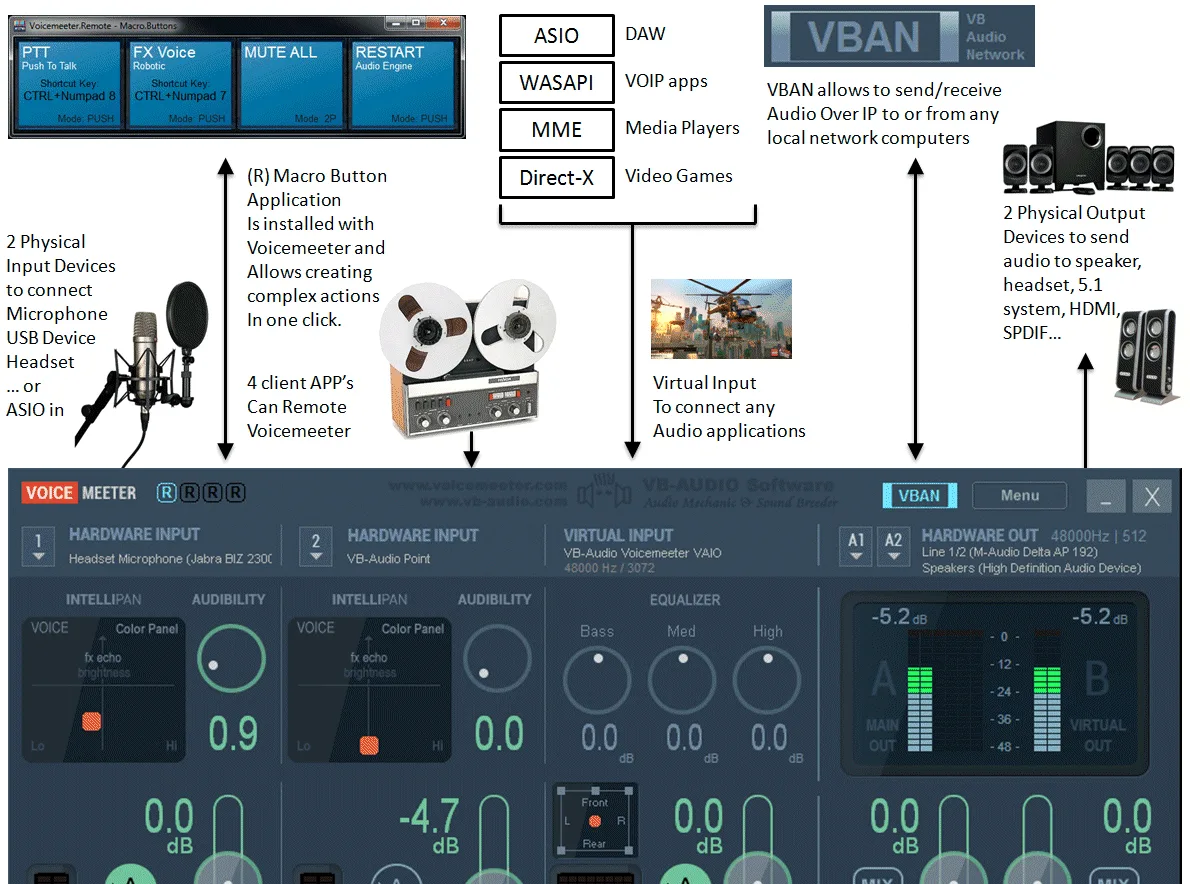
As a mixer, Voicemeeter can combine up to 3 input devices (2 physical and 1 virtual) and route them to 3 output devices (2 physical and 1 virtual) via two main audio busses (A & B). By blending physical devices with any audio sources from software, it opens up a wide range of possibilities:
- Mix your voice and music for Skype, Google Voice, podcasts, or your own radio show.
- Use two USB headsets on the same PC — perfect for remote learning or collaborative work.
- Play games in 5.1 surround while keeping your mic active for team chat.
- Create tutorials using your favorite audio software in professional quality.
- Record interviews or conferences in multichannel format for post-production.
- Use multiple audio apps together and record the live session with your preferred DAW.
- Easily manage and route any audio source on your computer.
Voicemeeter also supports multichannel processing on both virtual I/O and physical outputs, without disrupting traditional stereo workflows. While Windows often limits virtual audio devices to stereo, ASIO allows you to access up to 8 channels from Voicemeeter’s virtual output — ideal for multitrack recording.
The master section includes three powerful tools for multichannel management:
- Mix-down: converts 5.1 or 7.1 surround sound to stereo.
- Stereo Repeat: duplicates stereo audio across 2, 4, or 6 additional channels.
- COMPOSITE: routes Voicemeeter’s pre-fader inputs to channels 3/4, 5/6, and 7/8, enabling full multichannel recording of all inputs.
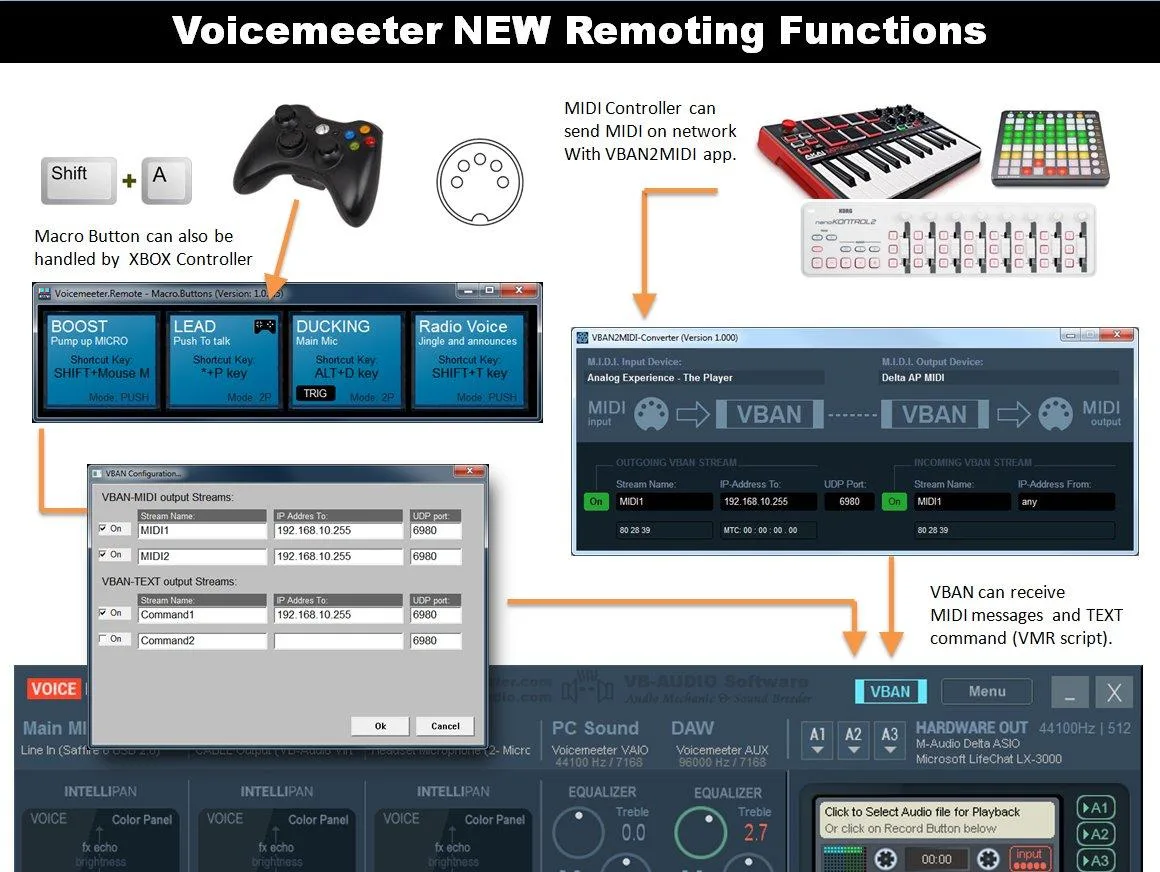
Voicemeeter now includes VBAN, a feature that allows sending and receiving audio between computers on your local network. This is powered by a custom UDP protocol designed for audio professionals and audiophiles, capable of transmitting multichannel PCM audio (at any sample rate). VBAN works like a simple radio transmitter/receiver and can broadcast one or more audio streams to one, several, or all machines on the network.
Finally, Voicemeeter is shipped with the VoicemeeterRemote.dll library and a first companion app: MacroButtons. This tool lets you create custom buttons to control Voicemeeter through simple commands or scripts. You can mute multiple channels with a single click, trigger sounds via keyboard shortcuts, or build advanced functions like a Push-to-Talk system that simultaneously lowers music volume, mutes other channels, or changes your voice — all at once. The Voicemeeter Remote API also supports DSP programming through an Audio Callback mechanism.
Screenshots
Voicemeeter: its rates
standard
Rate
On demand
Customer reviews about Voicemeeter
Appvizer calculates this overall rating to make your search for the best software easier. We've based it on user-generated verified reviews on industry-leading websites.