
EasyCapture : Efficient Screenshot Tool for Streamlined Workflows

EasyCapture: in summary
EasyCapture empowers professionals to effortlessly capture screenshots and annotations, perfect for designers, developers, and educators. Its intuitive interface, quick editing tools, and seamless sharing options distinguish it from other photo capture software.
What are the main features of EasyCapture?
Effortless Screenshot Capture
EasyCapture offers an intuitive and quick way to capture any part of your screen, ensuring you get the perfect shot every time. The software’s capture flexibility ensures that users can adjust and tailor what they need.
- Region Selection: Choose the area you want to capture with precision.
- Multi-Monitor Support: Capture content seamlessly across multiple displays.
- Aspect Ratio Lock: Maintain visual consistency with fixed ratio options.
Instant Editing Tools
Once you’ve captured your screenshot, EasyCapture provides a suite of editing tools to refine your image instantly. This ensures that your visuals communicate exactly what you intend.
- Annotation Tools: Add text, arrows, and shapes to highlight specific areas.
- Crop and Resize: Modify the dimensions of your captures effortlessly.
- Filter Effects: Enhance or modify the appearance of your screenshot with various filters.
Seamless Sharing Options
EasyCapture offers built-in options to share your work swiftly across various platforms, ensuring that your team and clients receive the information they need without hassle.
- Direct Upload to Cloud: Save and access your screenshots anywhere, anytime.
- Email Integration: Send captures directly through your preferred email client.
- Social Media Connectivity: Share your work instantly on major social networks.
Pioneering in user-centered solutions, EasyCapture redefines efficiency in screen capture tasks.
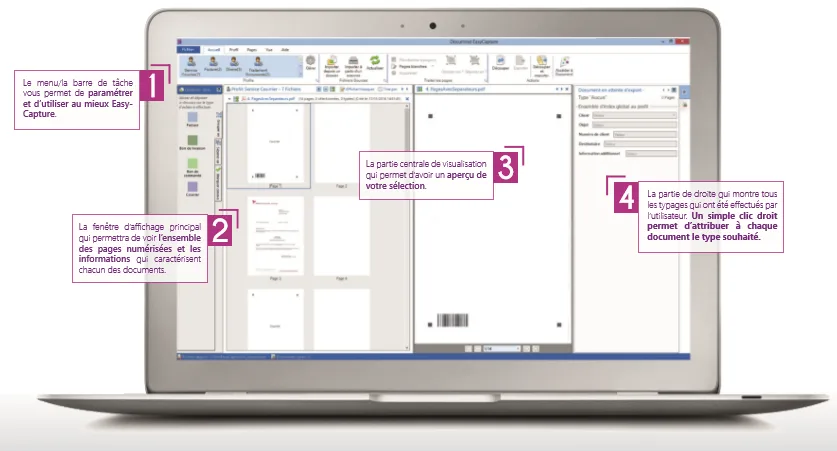
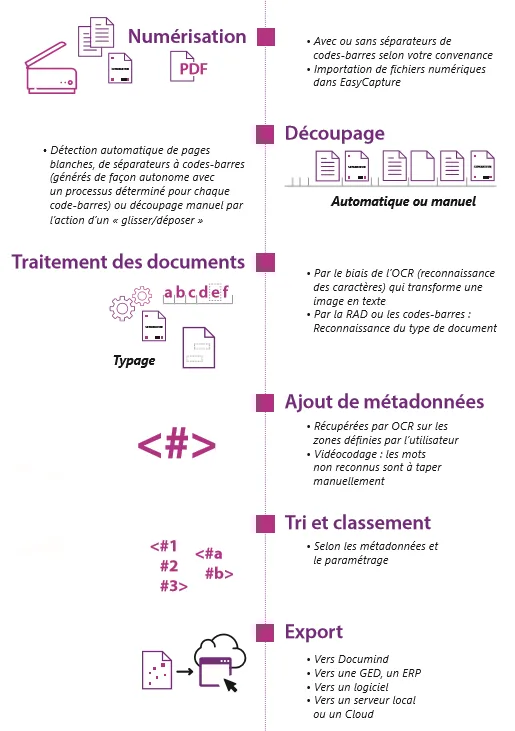
Screenshots
EasyCapture: its rates
Standard
Rate
On demand