

Trails : The easiest way to document your process

Trails: in summary
Trails is a process documentation tool designed to help teams create training materials, standard operating procedures (SOPs), and internal tutorials without the manual overhead. It’s built for operations, support, HR, and customer success teams in companies of all sizes that need to capture and share repeatable workflows efficiently. Instead of spending hours taking screenshots and writing instructions, users can simply record a web-based process, and Trails automatically generates a clean, professional step-by-step guide in seconds.
Trails leverages smart capture technology that records on-screen actions and spoken commentary. This eliminates the need for manual edits and speeds up the entire documentation workflow. With built-in sensitive data redaction, the platform also helps ensure compliance and data privacy. Once created, guides can be easily edited, annotated, and shared through a direct link, embedded into tools like Confluence or Notion, or exported as a PDF.
By removing the friction of documentation, Trails helps teams save time, standardize knowledge, and improve operational consistency—all while reducing onboarding time and lowering support requests.
What are the key features of Trails?
Automated capture of web-based workflows
The core of Trails is its automated recording engine that captures user activity in the browser:
- Generates step-by-step documentation automatically
- Captures screen actions, clicks, and page changes
- Optionally includes voice narration for added clarity
This allows teams to document processes in real-time, with no need for screenshots or manual formatting.
Instant generation of professional guides
After recording, Trails automatically builds a structured guide that can be customized:
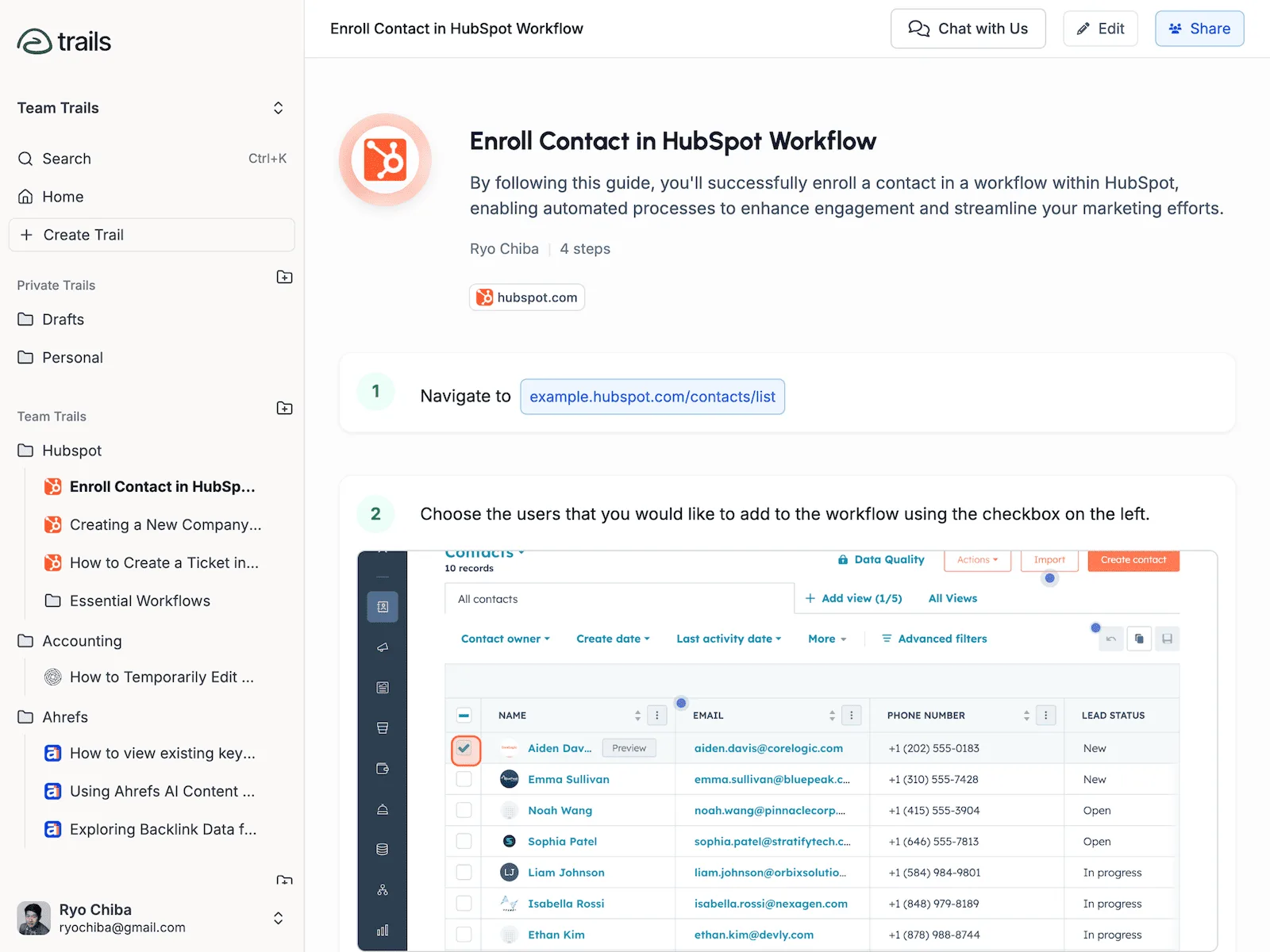
- Clearly segmented steps with images and descriptions
- Easy editing of text, order, and annotations
- Export options: shareable link, embed in a knowledge base, or PDF download
This ensures your guides are ready to share in minutes, not hours.
Built-in sensitive data redaction
Trails helps maintain privacy and compliance with tools to hide sensitive information:
- Blur confidential data during or after recording
- Manually select elements to redact before sharing
- Avoid exposing customer or employee data in public guides
This makes Trails suitable for use in environments where data protection is critical.
Flexible sharing and documentation management
Once a guide is created, it can be easily distributed:
- Send a link to team members or clients
- Embed it directly into internal wikis (e.g., Notion, Confluence)
- Export as PDF for training sessions or offline access
Trails helps teams create a central source of truth for internal procedures that can be updated, reused, and scaled.
To summarize
Trails is a purpose-built tool for fast, consistent, and secure documentation. Key benefits include:
- Drastically reduced time to create SOPs and tutorials
- Lower support volume thanks to clearer self-service resources
- Faster onboarding through visual, self-paced guides
- Improved process consistency across teams and departments
- Zero design or tech skills required to get started
With Trails, teams can shift their focus away from manual documentation and toward delivering impact and improving performance.
Its benefits
- Automated guide creation
- Sensitive data redaction
- Easy sharing & export
Screenshots
Trails: its rates
standard
Free
Trails Pro
$15.00
/month /user