

Zoho Tables : A smarter way to organize work and data
Zoho Tables: in summary
Zoho Tables is a flexible, cloud-based collaborative database tool developed by Zoho for teams that need to organize, automate, and manage structured data efficiently. It blends the simplicity of a spreadsheet with the structure of a database, allowing users to create custom workflows and relational data systems without technical complexity.
It is designed for operational teams, product managers, marketers, HR, and small to mid-sized businesses. Common use cases include project tracking, content calendars, inventory management, CRM pipelines, and internal process automation.
Unlike basic spreadsheets or rigid database systems, Zoho Tables offers real-time collaboration, automation tools, and multiple data views, making it suitable for teams that want to stay organized and scale their processes with minimal overhead.
Key advantages include:
- Spreadsheet-like interface with database-level features
- Built-in automations to reduce repetitive work
- Role-based collaboration with customizable permissions
What are the key features of Zoho Tables?
Customizable tables with rich field types
Zoho Tables lets users define and structure data using a variety of field types suited to business processes.
Available field types include:
- Text, numbers, checkboxes, dropdowns, dates
- File attachments, user assignments, formulas
- Linked records to connect tables
This flexibility allows teams to model workflows specific to their needs, from simple task lists to complex resource planning.
Multiple views for visualizing and managing data
Users can create different views of the same data to match the way they work, helping teams focus on relevant information.
Supported views:
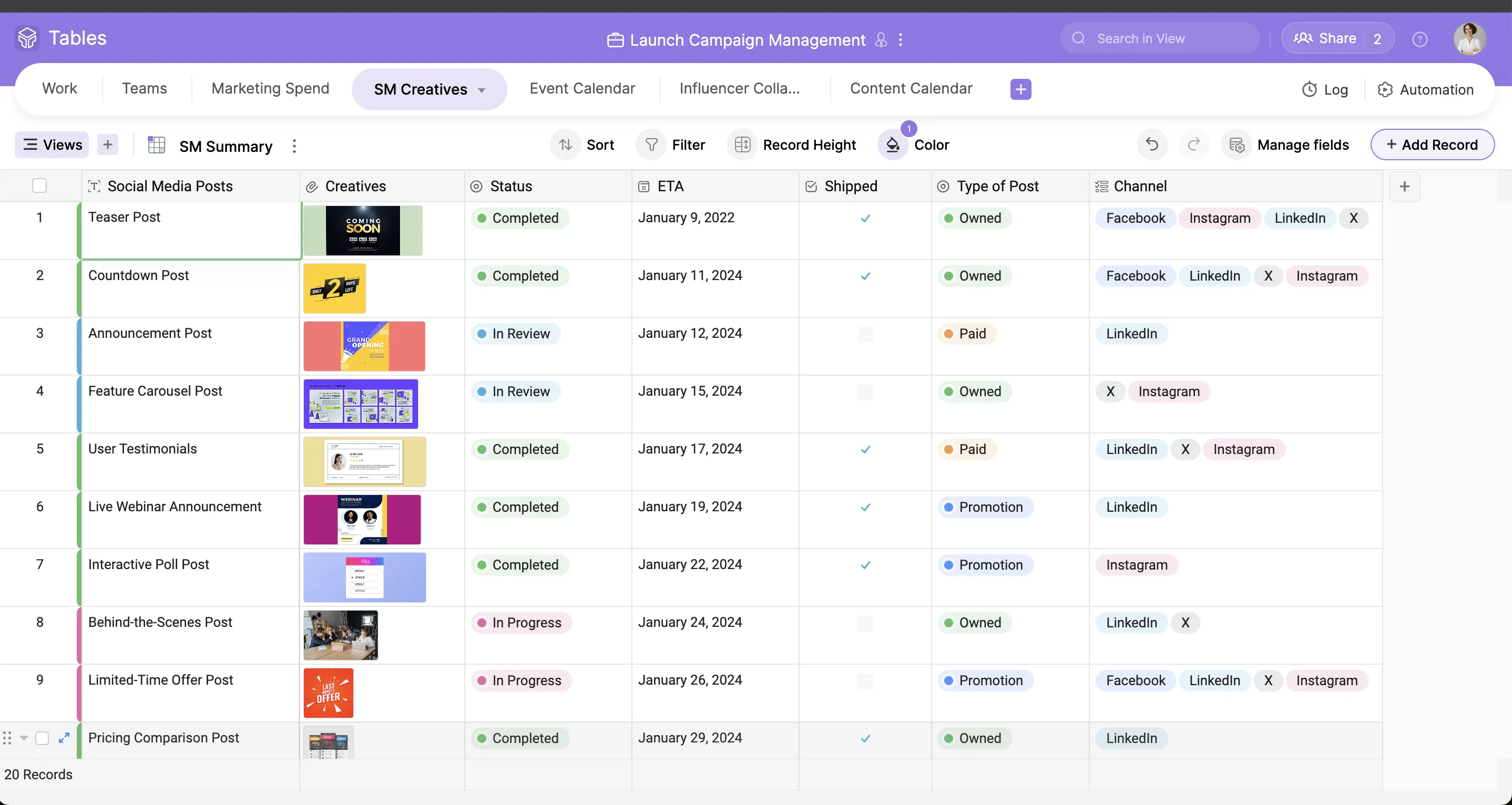
- Grid view for traditional spreadsheet-style editing
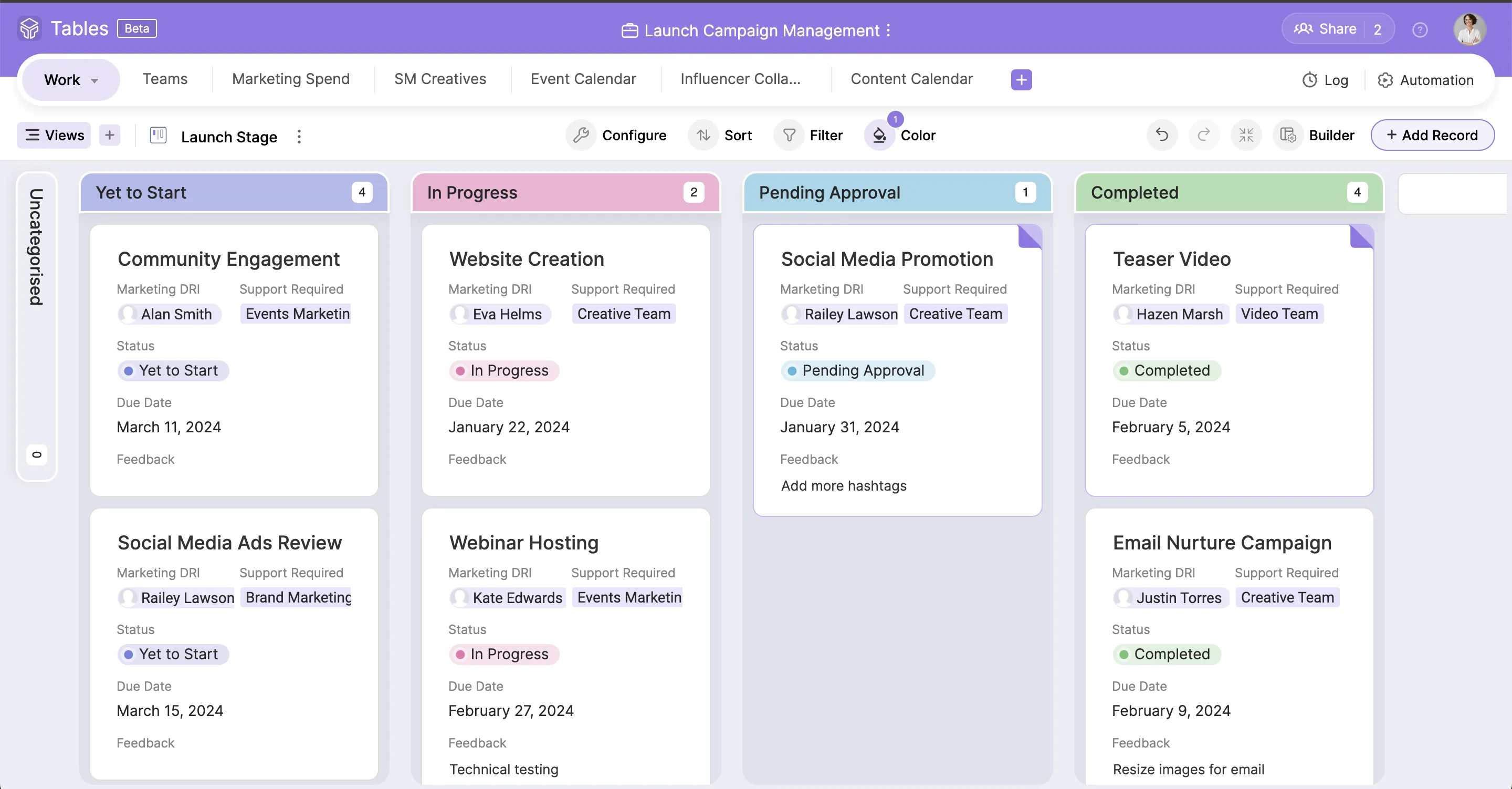
- Kanban view to manage workflows by status
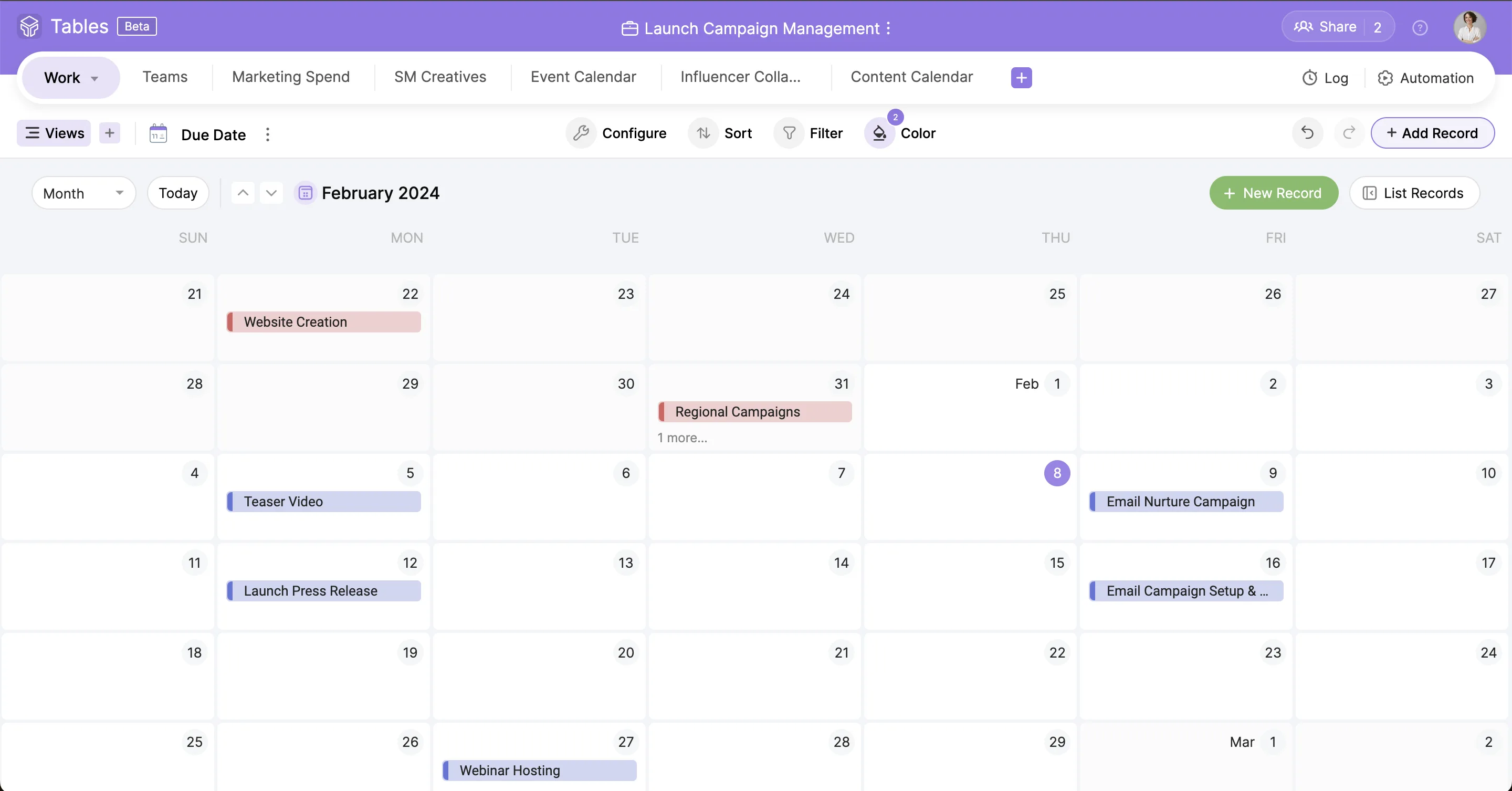
- Calendar view to organize date-related tasks
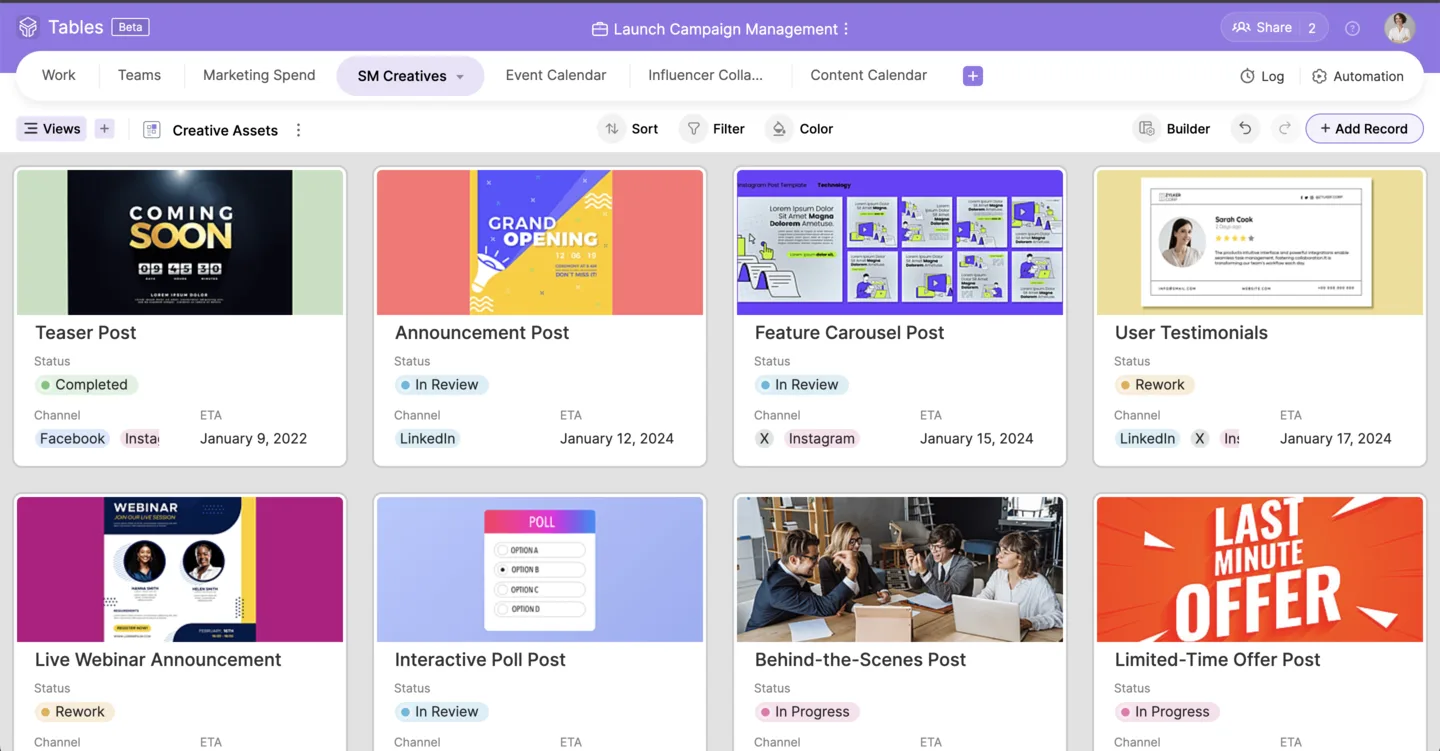
- Gallery view for visual browsing
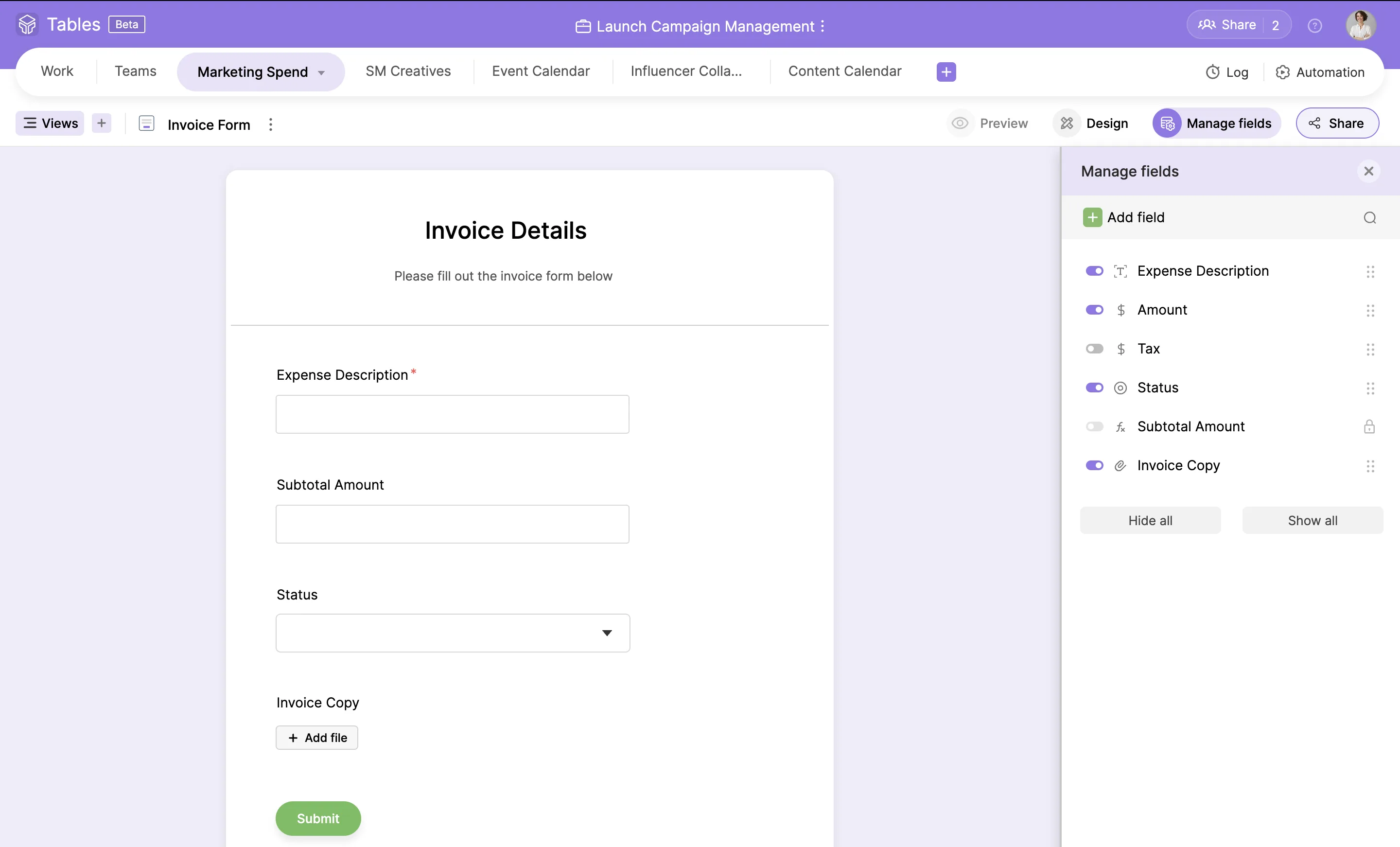
- Form view for structured data entry
Each view includes filters, sorting, and grouping options to customize how data is displayed and interacted with.
Built-in automation for routine workflows
Zoho Tables includes no-code automation tools to streamline tasks that would otherwise require manual updates.
Example use cases:
- Send notifications when task statuses change
- Automatically assign users when records are created
- Update related fields when a condition is met
Automation rules can be defined based on triggers and actions, reducing the time spent on repetitive administrative tasks.
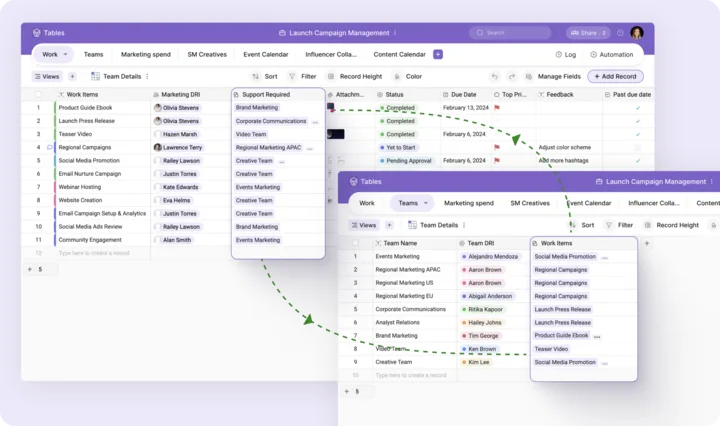
Relational data linking between tables
Users can link records across different tables, supporting more complex relationships and connected data workflows.
Common scenarios:
- Linking tasks to projects
- Associating products with vendors
- Connecting applicants to job postings
Linked records help maintain consistency and provide context across datasets without duplication.
Real-time collaboration with permissions control
Zoho Tables supports multi-user collaboration with detailed access controls, making it easy for teams to work together while keeping data secure.
Collaboration features include:
- Shareable views with read-only or edit access
- Record-level comment threads
- Version history for tracking changes
This helps reduce miscommunication and ensures transparency in team workflows.
Integration with the Zoho ecosystem and external tools
Zoho Tables connects smoothly with other Zoho applications such as CRM, Projects, and Mail, supporting data flows across business functions.
It also allows:
- Data import from Excel, CSV, or Google Sheets
- Export options for sharing or backup
- API access for custom integrations (feature set evolving)
This makes it easy to embed Zoho Tables into existing workflows or use it as a central hub for data management.
To summarize
Zoho Tables is a lightweight and flexible tool for teams that need to collaborate on structured data without building full-scale databases. Its benefits include:
- Easy setup of data structures tailored to specific business processes
- Multiple views for better visualization and task management
- Automation tools to eliminate repetitive tasks
- Linked records to handle relational data without complexity
- Real-time collaboration with fine-grained access control
Zoho Tables is ideal for teams looking for a balance between the familiarity of spreadsheets and the power of modern databases, especially within organizations already using the Zoho ecosystem.
Its benefits
- Real-time collaboration
- Workflow automation
- Dynamic views
- Data management
- Mobile friendly
Screenshots

Zoho Tables: its rates
Free
Free
Professional
$4.00
/month /user